
If you’ve ever attended an event where the audience felt genuinely involved — not just watching but participating — chances are a live social feed had something to do with it. A Live X/Twitter Wall brings real conversations (UGC)from X/Twitter onto big screens, websites, and digital displays. It’s simple, visual, and has a strange ability to make people want to join the conversation.
And the best part?
You can set it up in minutes, explore everything with a 14-day free trial, and you don’t even need a credit card.
What Exactly is X/Twitter Wall?
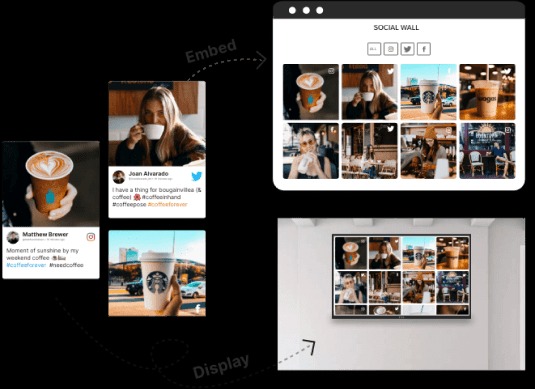
Think of it as a giant digital board that automatically pulls posts from X/Twitter based on the filters you choose — hashtags, mentions, handles, keywords, or even curated lists.
Instead of someone manually showing screenshots or refreshing feeds, the twitter wall updates on its own. Every new post with your event hashtag, brand mention, or campaign keyword appears instantly.
Here’s why it matters:
- Interactive Experience: Instead of a static display or presentation, attendees or website visitors see real-time posts from participants, fans, or customers, making them feel included.
- Amplified Brand Presence: Displaying curated posts from users increases social proof, helping your brand appear credible, popular, and relevant.
- Content Aggregation Made Easy: Instead of manually scrolling through feeds, the Twitter Wall automatically collects relevant content based on your chosen hashtags, mentions, or handles.
For example, imagine hosting a product launch: every tweet post tagged with your campaign hashtag appears instantly on your event screens, creating excitement and encouraging more attendees to participate.
How You Actually Create X/Twitter Wall (Step-by-Step)
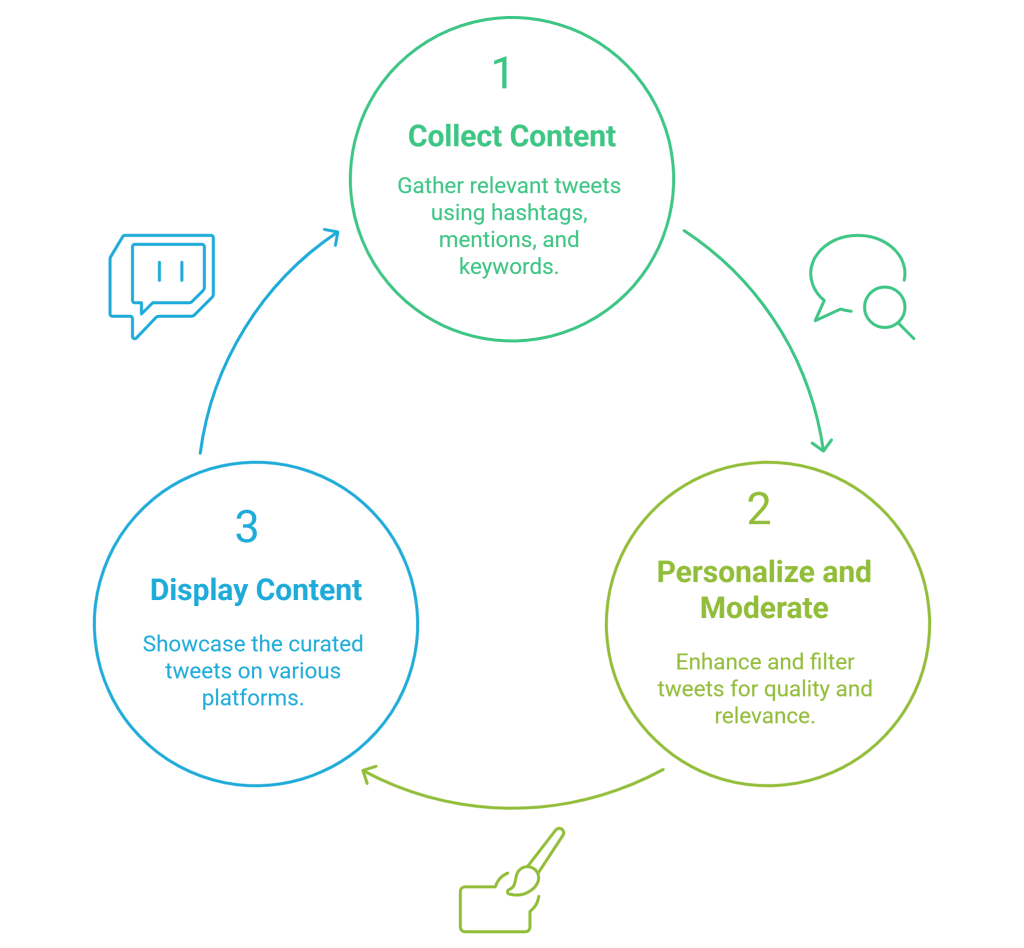
Setting up a wall is far easier than it sounds, and here is how the process usually works:
1. Collect the content
You start by choosing what you want the wall to pull in:
- Hashtags: Track event-specific hashtags or trending campaign tags.
- Mentions/Handles: Display posts that directly mention your brand or influencers.
- Keywords or Lists: Aggregate content from specific groups, locations, or campaigns.
For example, if you’re hosting a tech summit, you might collect posts under #TechSummit2025, plus handles of speakers, sponsors, and your own brand account.
2. Personalize and moderate
This is where most of the magic happens. You can:
- Remove spam, low-quality content, or unrelated posts.
- Highlight the most impactful, visually appealing tweets.
- Apply design elements like banners, color themes, or branded backgrounds.
- Add interactive features, such as clickable links or embedded images, to enhance user engagement.
A polished and moderated wall feels intentional, curated, and on-brand — not chaotic.
3. Display it wherever you want
Once it’s ready, you simply hit “Publish” or “Display,” and choose where it goes:
- Projectors, LED walls, TVs, conference screens
- Websites or landing pages
- Digital signage at venues, retail stores, airports
- Virtual event platforms or webinar screens
No complicated setup. No unnecessary software.
Just a browser, internet, and you’re good to go.
Where You Can Use a Live Twitter Wall
You’ll be surprised how many industries and occasions use live social walls today. Some popular ones:
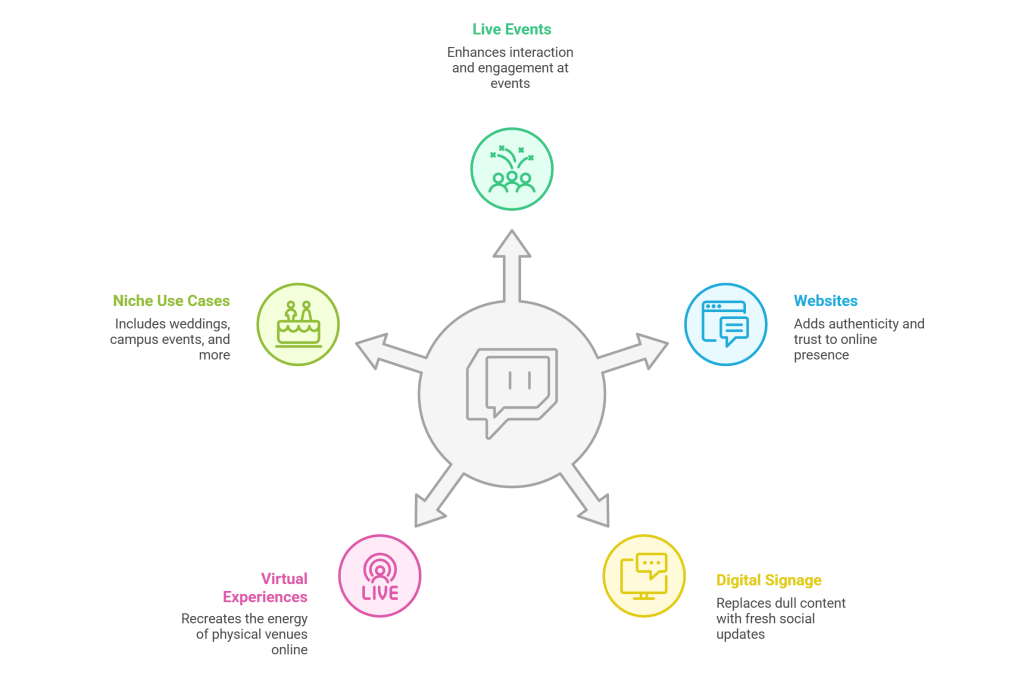
1. Live or Hybrid Events
Events become instantly more interactive when people see their posts appear on the screen. It becomes a loop:
they post → they appear → they post again → others start posting.
2. Websites
Embedding a live feed on your website adds a layer of authenticity. People trust brands more when they see what real users are saying in real time.
3. Digital Signage
Retail stores, hotel lobbies, universities, gyms — all use social walls to fill screens with meaningful, fresh content instead of dull slideshows.
4. Virtual & Screens-Based Experiences
If your event is fully virtual, a live X/Twitter feed recreates the energy of a physical venue.
Some niche use cases:
- Weddings (yes, it happens more often now)
- Campus events and graduation ceremonies
- Brand activations
- Trade fairs and expo booths
- Concerts and festivals
The wall becomes a conversation starter everywhere.
Features That Make Twitter Walls Stand Out
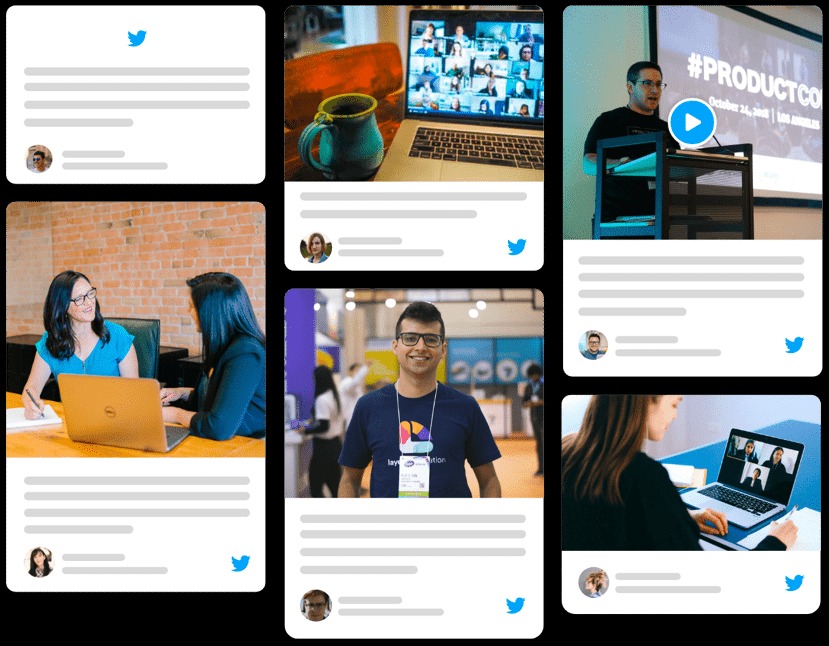
A Twitter wall is only as good as the platform behind it. Here are the features that genuinely make a difference:
- Real-time updates: Posts appear within seconds. You don’t need to refresh anything.
- Twitter Ticker: A smooth horizontal strip that shows tweets without interrupting your main content – perfect for live sessions or streams.
- Responsive layouts: Your wall adjusts automatically to giant LED screens, tablets, or small website embeds.
- Profanity & spam filtering: No brand wants inappropriate content popping up in front of an audience. Smart moderation takes care of that.
- UGC Rights Management: You can request permission from creators and legally reuse their posts for UGC campaigns.
- Insights & analytics: You get a clear picture of:
– Who posted the most
– Which content performed the best
– How people interacted
– Sentiment of the audience
– Overall content engagement
This is gold for marketing teams post-event.
- Easy setup: No installations. No technical headaches.
A browser + internet is all you need. - 24/7 support: Events run on tight timelines, and having support available anytime matters — more than people realise.
Make Your Twitter Wall Data Work For You
A lot of people underestimate how powerful these analytics can be.
With the right insights, you can:
- Spot your most active participants
- Reach out to influential attendees
- Download participant data for retargeting
- Create follow-up campaigns
- Build long-term creator or developer relationships
These insights help brands grow communities and not just run one-time events.
Real Example: UAE University Virtual Graduation
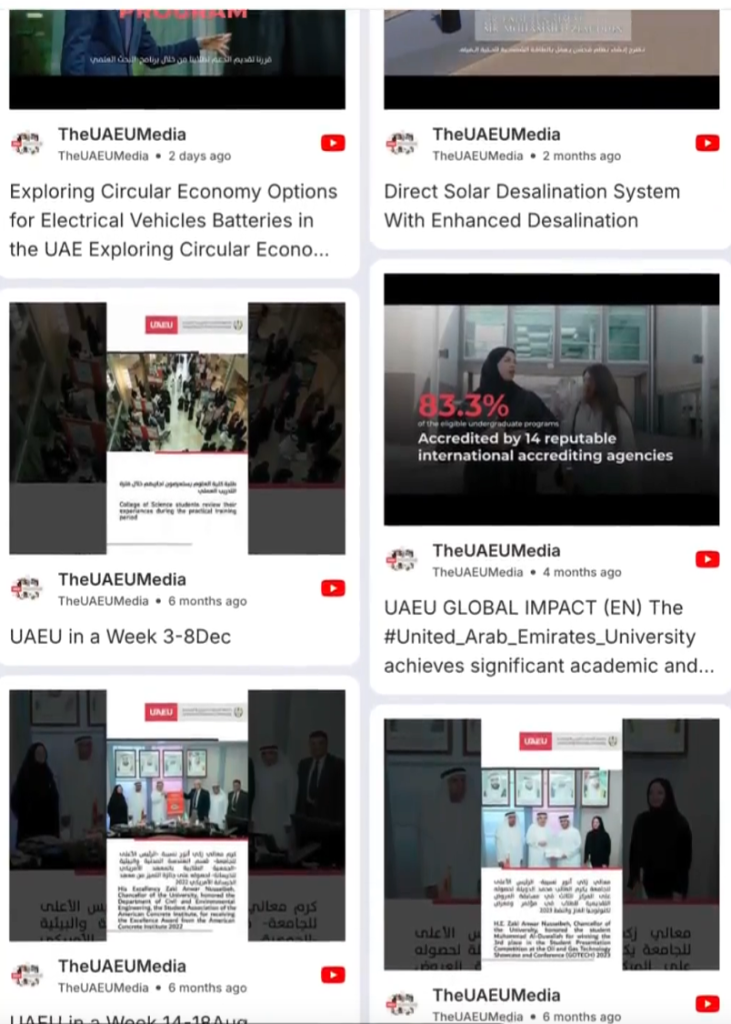
See How UAE University Turned a Virtual Graduation Into a Shared Celebration (Powered by a Social Walls)
When the UAE University had to shift its 40th graduation ceremony online during the pandemic, they didn’t want it to feel like a plain livestream. So they used a Social Walls live feed to bring students, parents, and faculty into one shared digital space. As attendees posted memories, selfies, and congratulatory messages with the event hashtag, everything appeared instantly on the wall — adding warmth and real-time energy to the ceremony.
The social wall turned what could have been a distant virtual event into a lively, emotional celebration. Instead of watching passively, everyone became part of the moment. That’s the difference Social Walls creates: it transforms online and hybrid events into truly interactive experiences filled with voices, reactions, and community.
Read Full Story Here: Annual Graduation of UAEU Witnessed 3.5X Increased Impression
Ready to Try Your Live X/Twitter Wall?
Whether you’re planning a conference, upgrading your website, or adding life to your digital screens, a live X/Twitter Wall is one of the easiest ways to inspire participation and show your brand’s community in action.
You can explore every feature with a 14-day free trial — no card needed, no strings attached.
FAQs
1. What is a Twitter/X Wall?
It’s a live display that brings together posts from X/Twitter — hashtags, mentions, handles, whatever you choose — and shows them on screens or websites. It keeps your audience involved and adds a real-time social element to your event or site.
2. How do I show live Twitter feeds at an event?
You set up your feed, customize it, and then select your display type — projector, LED wall, TV, or digital signage. The wall automatically updates throughout your event.
3. Can I embed a Twitter feed on my website?
Yes. Once your feed is ready, you get an embed code. Copy it, paste it into your site’s backend, and the feed appears instantly.
4. Can I filter out unwanted content or retweets?
Absolutely. You can hide retweets, remove anything off-brand, and even use automatic profanity filters to keep the wall clean.
5. How do I get permission to use someone’s post?
You send a rights request through the platform, and once the creator approves it, you can legally reuse their content.
6. Will it work on any screen size?
Yes, the layout automatically adjusts — from huge event screens to tiny mobile embeds.